Using MerchDash
Bulk actions
Act on many ASINs or keywords at once, everywhere they run.
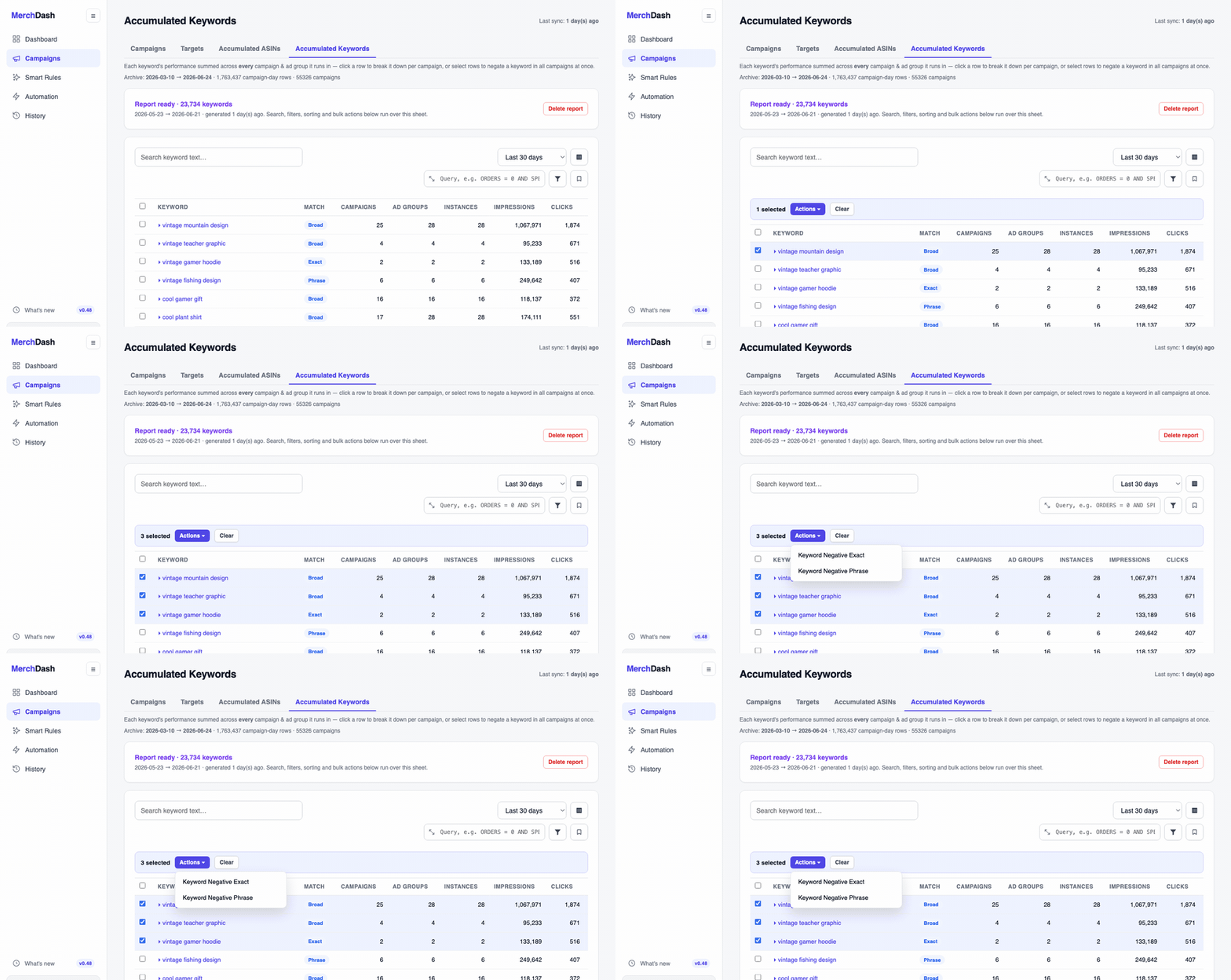
Select rows in the workbench or Accumulated views and the Actions menu acts on all of them at once, everywhere they run:
- Pause selected ASIN, pauses an ASIN's ads in every campaign it appears in.
- Keyword Negative Exact / Keyword Negative Phrase, adds the selected keyword(s) as negatives in each ad group they delivered in, across all campaigns. Exact blocks only that query, phrase blocks every query containing it, the cookbook covers when each is right.
- Enable / Pause / Adjust budget, on campaign selections: increase, decrease, or set the selected budgets.
Expand a row first to exclude individual campaigns from the action with per-row checkboxes.
Same safety net as automation
Bulk actions run through the same change recorder as automation rules: every change is logged with before/after values and a reason in Change history, the whole batch can be reverted, and the same maximum bid and safety ceilings apply. There is no per-account limit on how many items one bulk action may change, only an install-wide ceiling, if your operator has set one.